![WERC_Tagline_REV.png]](https://hub.talenteverywhere.org/hs-fs/hubfs/WERC_Tagline_REV.png?height=40&name=WERC_Tagline_REV.png)
We currently do not have reminders available for installment plans. However, you can save a card to your profile for convenience: How to Add/Edit Credit Card Information into your portal
You can make a payment towards your installment plan by following these steps:
1. You must have an installment plan already set up in order to make payments. Not all WERC products qualify for an installment plan. To set up an installment plan, please reach out to customersuccess@talenteverywhere.org to verify eligibility.
2. When your plan is set up, navigate to your profile.
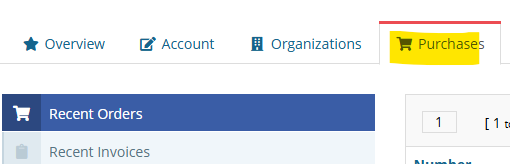
3. Click "Purchases," then "Recent Orders"
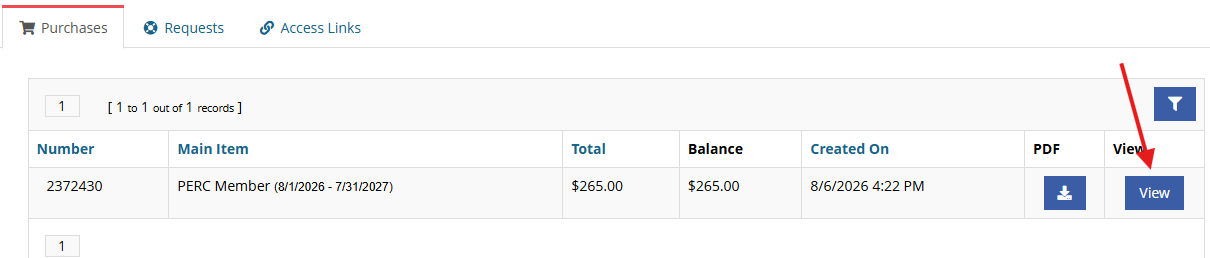
4. Click "View" on the item you have an installment plan for
5. You will then find your payment plan information, scroll down a bit to find the schedule: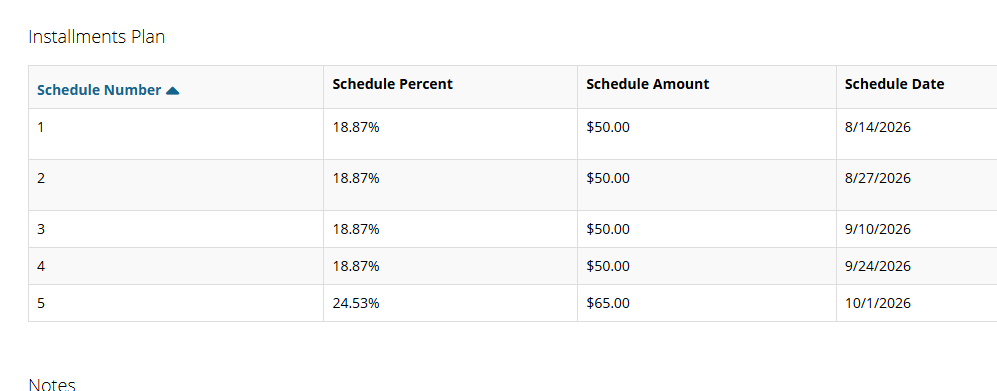
6. To the far right, you will have the option to make a payment:
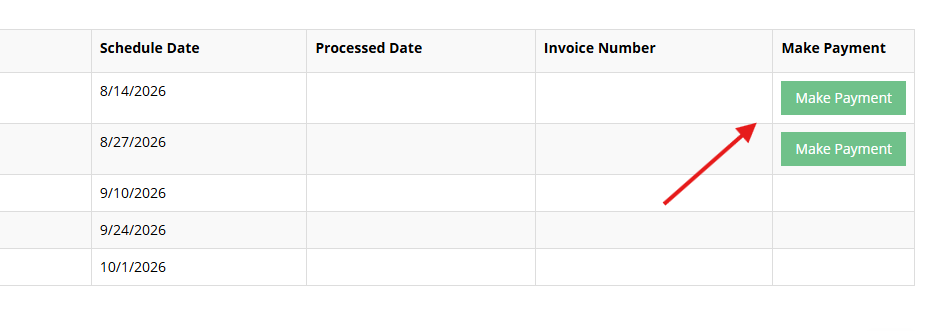
7. Click "Make Payment" and follow the prompts.
8. Repeat steps to make each following payment.
**Note, if things change, you can make payments early.