---
title: How to register multiple employees for an event
description: Visual guide to a group registration
---
[Skip to content](https://hub.talenteverywhere.org/knowledge/how-to-register-multiple-employees-for-an-event#main-content)
English
Show submenu for translations
![WERC\_Tagline\_REV.png\]](https://hub.talenteverywhere.org/hs-fs/hubfs/WERC_Tagline_REV.png?height=40&name=WERC_Tagline_REV.png)
Open main navigation
Close main navigation
- English
Show submenu for translations
How can we help?
- There are no suggestions because the search field is empty.
1. [Help Center](https://hub.talenteverywhere.org/knowledge?hsLang=en)
2. [Events](https://hub.talenteverywhere.org/knowledge/events?hsLang=en)
3. [Registration](https://hub.talenteverywhere.org/knowledge/events?hsLang=en#registration)
# How to register multiple employees for an event
## Visual guide to register group registrations for an event
1\. Please confirm that you are the bulk admin for your company with our Customer Success team: customersuccess@talenteverywhere.org
2\. Be sure that all individuals planning to attend the event have a WERC account and are connected to **your organization**, otherwise, you will not be able to find them during group registration. The below image uses WERC as an example organization.
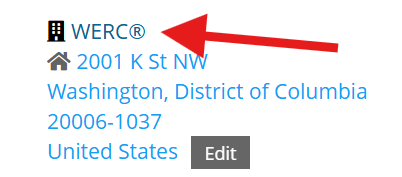
3\. Navigate to [YOUR PROFILE](https://portal.talenteverywhere.org/my-profile/)
4\. From the left side menu, select "Events," then click "Upcoming Events"

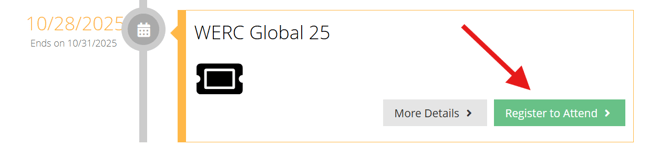
5\. Select "Register to Attend" on the **desired event**
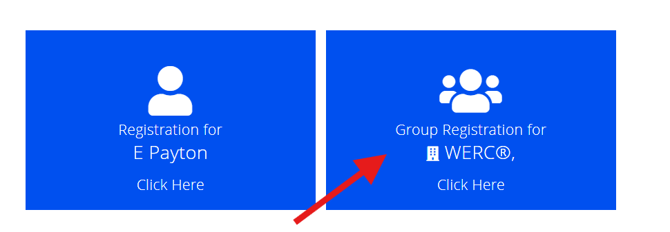
6\. Select "Group Registration for \[your company\]"
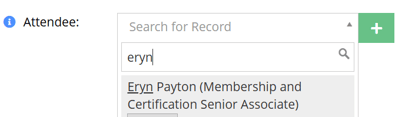
7\. Click "Register an Attendee," and search for the first individual you would like to register.
NOTE: if you have a code to apply to registration, please only **register one person at a time.** Codes are not stackable and you will not obtain the correct rate if you register multiple people.
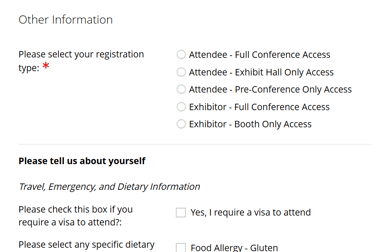
8\. You will then be prompted to fill out their registration information.
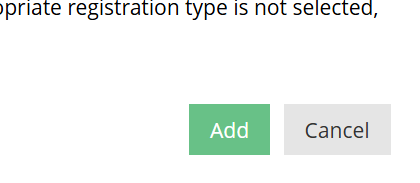
9\. Click "Add" on the bottom right when completed
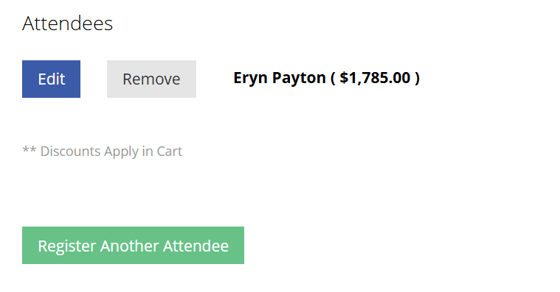
10\. You may then add any additional attendees by repeating steps 7-9. You also have the option to remove an attendee or edit their information before submitting payment
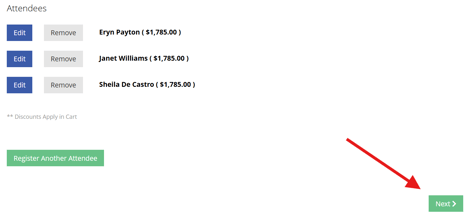
11\. If you plan to attend the event, **register yourself as well**. When you have registered all employees, click "Next"
12\. Here, you can select sessions for each individual and see the associated cost
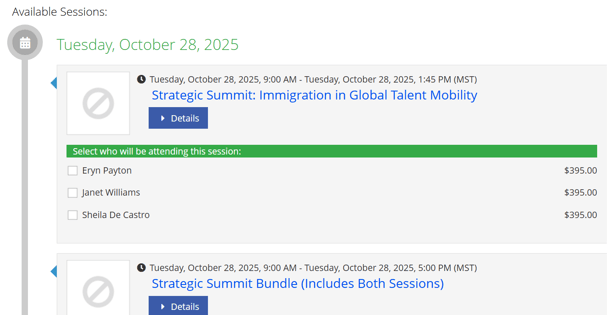
13\. When sessions have been determined, click "Next" on the bottom right

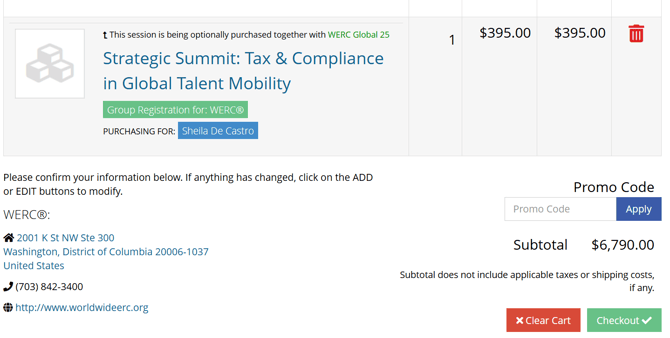
14\. Here, you will see registration fees, sessions for each person, and your order total. If you were given a promo code, you may enter this here. If everything looks correct, you can click "Checkout" on the bottom right and submit your payment.
- [Internal Support](https://hub.talenteverywhere.org/knowledge/internal-support?hsLang=en#main-content)
- [Tutorial](https://hub.talenteverywhere.org/knowledge/internal-support?hsLang=en#tutorial)
- [Membership](https://hub.talenteverywhere.org/knowledge/membership?hsLang=en#main-content)
- [Corporate Premier (HR) Membership](https://hub.talenteverywhere.org/knowledge/membership?hsLang=en#corporate-premier-hr-membership)
- [Professional/Personal (PERC™) Membership](https://hub.talenteverywhere.org/knowledge/membership?hsLang=en#professional-personal-perc-membership)
- [Service Provider Memberships](https://hub.talenteverywhere.org/knowledge/membership?hsLang=en#service-provider-memberships)
- [Membership FAQs](https://hub.talenteverywhere.org/knowledge/membership?hsLang=en#membership-faqs)
- [Education & Learning](https://hub.talenteverywhere.org/knowledge/education-learning?hsLang=en#main-content)
- [GMS Designation](https://hub.talenteverywhere.org/knowledge/education-learning?hsLang=en#gms-designation)
- [CRP Designation](https://hub.talenteverywhere.org/knowledge/education-learning?hsLang=en#crp-designation)
- [CRP/GMS](https://hub.talenteverywhere.org/knowledge/education-learning?hsLang=en#crp-gms)
- [Events](https://hub.talenteverywhere.org/knowledge/events?hsLang=en#main-content)
- [Regional Summit](https://hub.talenteverywhere.org/knowledge/events?hsLang=en#regional-summit)
- [Registration](https://hub.talenteverywhere.org/knowledge/events?hsLang=en#registration)
- [News, Research, & Public Policy](https://hub.talenteverywhere.org/knowledge/news-research-public-policy?hsLang=en)
- [Publications & Subscriptions](https://hub.talenteverywhere.org/knowledge/publications-subscriptions?hsLang=en)
- [Career Center](https://hub.talenteverywhere.org/knowledge/career-center?hsLang=en)
- [Advertising Opportunities](https://hub.talenteverywhere.org/knowledge/advertising-opportunities?hsLang=en)
- [Foundation of Workforce Mobility](https://hub.talenteverywhere.org/knowledge/foundation-of-workforce-mobility?hsLang=en)
- [Get Involved](https://hub.talenteverywhere.org/knowledge/get-involved?hsLang=en)
[](https://www.worldwideerc.org/)
WERC website
Copyright © 2026, WERC